TradingView Pine Script Takes Longer Than 0.5 Seconds (RE10110)

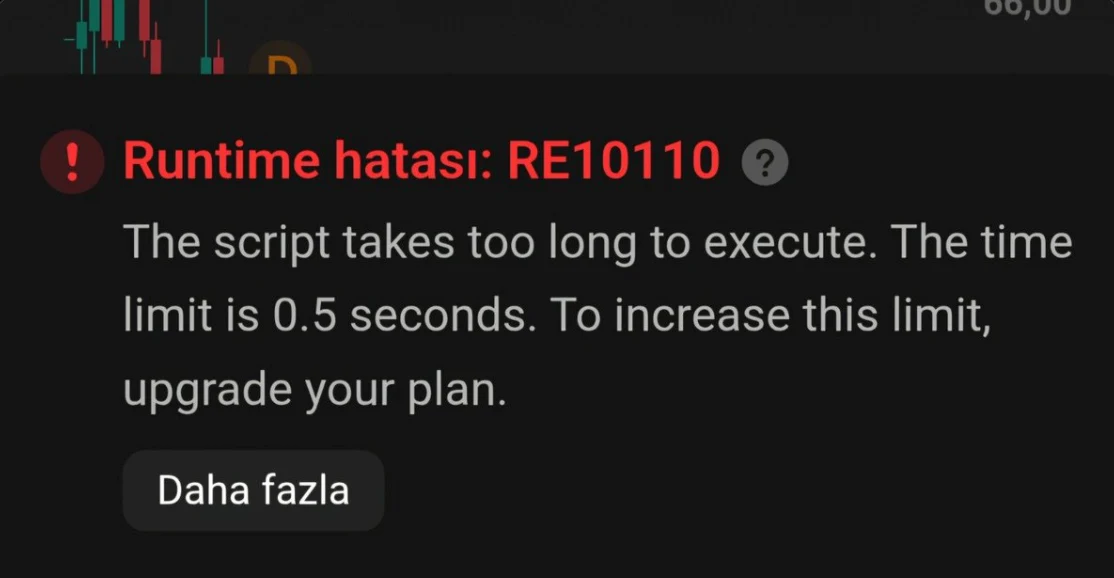
If TradingView shows RE10110 and says your script takes longer than 0.5 seconds, it stopped calculating before it could finish. Even one custom indicator can hit that limit. When you add it to a chart, Pine runs its calculations across the historical bars in the dataset. The half second in the message is your plan's allowance for that work. Timing how long the chart takes to appear in your browser measures something different.
Why one indicator can use the whole half second
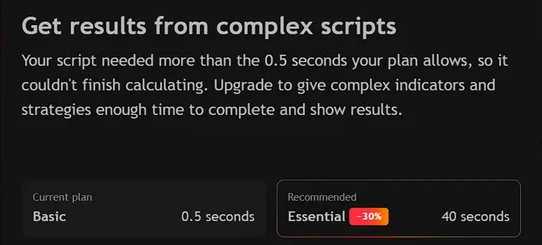
In a TradingView community report, a trader described a single custom script that had stopped loading. The dialog below identifies the limit the account hit. It shows 0.5 seconds on Basic and 40 seconds on Essential. TradingView lists those allowances in the “Time limit for making calculations” row of its plan comparison.
Consider a custom indicator that searches the preceding 100 candles for the highest high. If it repeats the full search on each of 5,000 bars, that single indicator can examine roughly 500,000 values. The count illustrates how work accumulates. The screenshots tell us where TradingView stopped, but only the script's source or a profile could tell us which calculation took the time.
Does the error mention your plan or a loop?
Half a second and 500 milliseconds are the same duration. TradingView applies that duration to two different units of work. Its Pine Script limitations document both.
| What the error mentions | What ran out of time | What to check first |
|---|---|---|
| RE10110 with a 0.5-second plan limit | The script's calculation across the dataset | Look for work repeated on many bars, including calculations for optional features. |
| A loop taking too long on a bar | One loop on one bar. Nested loops count toward the outer loop's 500 ms limit. | Inspect the loop bounds and the work inside each iteration. This limit still applies on a paid plan. |
What to try before changing plans
If you only have the indicator settings, keep the symbol and timeframe fixed. If the author exposes a lookback length, shorten it and reapply the indicator. If there is a multi-symbol dashboard, try requesting fewer symbols. Change one input at a time. A shorter lookback can move a signal, so check familiar bars before keeping the change. Hiding a plot in the Style tab can leave its calculation running. If the script still stops, send the author the error code, symbol, timeframe, and input values so they can reproduce it.
If you can edit the source, save a copy and reproduce the error with the original settings. For an editable Pine v6 script that completes with a shorter lookback, add that copy to the chart, open its source in TradingView's Pine Editor, and select More → Profiler mode. Read execution counts alongside time estimates. A small block that runs on every bar may cost more overall than a slower block that runs once. The profiler adds measurement overhead, so use it to rank work and retest the finished script with profiling off. TradingView’s Pine Profiler guide
For the highest-high example, a good first edit is to replace the repeated scan with Pine's built-in ta.highest(). Check which candle starts the window. If the original scan ended on the previous candle, including the current high can change a breakout signal. Compare both versions on bars where the current candle sets a new high, then restore the original lookback and rerun the copy.
Pineify's Pine Script AI Generator can draft that change from the original rule. If you're rebuilding a simple indicator from its conditions, the Visual Pine Script Editor lets you assemble them as blocks. In either case, compare the resulting signals on the same TradingView chart and account that produced RE10110.
A plan with a longer calculation allowance can help when the full history or symbol list matters to the indicator. The upgrade dialog shows the time available on the next plan. It gives no measurement of how much time the unfinished script actually needs.