SuperTrend Indicator: Complete Guide to Signals, Settings & Proven Strategies

· 13 min read
Pineify Team
Pine Script and AI trading workflow research team

The SuperTrend indicator is one of those tools that just makes sense once you see it in action. Whether you're trading stocks, forex, crypto, or futures, getting a handle on how to read, set up, and pair it with other stuff can really tighten up when you get in and out of trades — and that can make a real difference to your results.


SuperTrend Indicator: Complete Guide to Signals, Settings & Proven Strategies

What Is the SuperTrend Indicator?

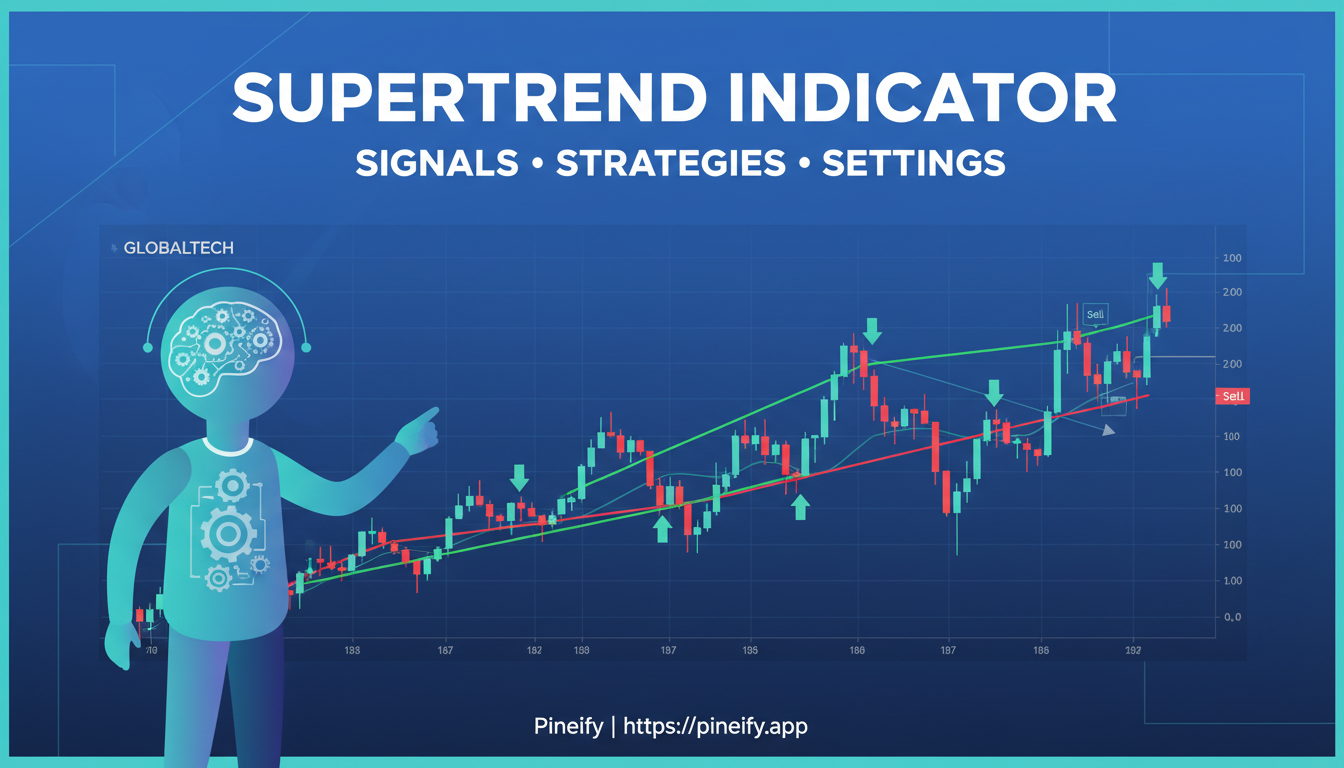
The SuperTrend was created by Olivier Seban. It's a volatility-based tool that sits right on your price chart — no separate panel, no fuss. The line itself changes color: green when it's below the price (uptrend in play) and red when it's above the price (downtrend in play).

The beauty is in the simplicity. You don't need to decode complex signals. It gives you clear, visual cues:

  • Buy signal: Price closes above the SuperTrend line → line flips to green (bullish)
  • Sell signal: Price closes below the SuperTrend line → line flips to red (bearish)

You'll find it built into TradingView, MetaTrader 4 (MT4), MetaTrader 5 (MT5), Thinkorswim (via ThinkScript), and NinjaTrader. So pretty much any retail trader can use it, no matter which platform they're on.

How Is the SuperTrend Indicator Calculated?

The SuperTrend formula is built on two simple ingredients: the ATR (Average True Range) and a multiplier you choose.

The ATR itself comes from the True Range (TR), which is simply the largest of these three numbers:

  1. Current High − Current Low
  2. |Current High − Previous Close|
  3. |Current Low − Previous Close|

Once you’ve got the ATR, the two bands are constructed like this:

BandFormula
Upper Band(High + Low) / 2 + (Multiplier × ATR)
Lower Band(High + Low) / 2 − (Multiplier × ATR)

Here’s how it works in plain language:
When the closing price moves above the active band, the indicator flips and sits below price – that’s a bullish signal. When price closes below the band, the line jumps above price – that’s bearish. The bands naturally widen when the market gets wild and tighten when things are quiet, so the indicator adjusts itself to different conditions without you having to tweak anything.

What’s the offset in SuperTrend trading?
The offset just moves the indicator line forward or backward on the chart by a set number of bars. It doesn’t change the math or the signals – it’s purely a visual shift. Most traders leave it at zero.

Does SuperTrend repaint?
Standard SuperTrend setups don’t repaint on closed candles. The signal is confirmed once the candle finishes, so historical signals stay fixed after that. No tricks, no surprises.

ATR Length: The Critical Parameter

The ATR length (sometimes called the period) decides how many price bars you're looking at to measure volatility. A shorter length reacts faster to price moves but can be noisy. A longer one gives you a smoother line, but it’s slower to adjust when things change quickly.

  • Scalping / 1-minute charts: ATR 7–10 for fast response
  • Day trading / 5–15 minute charts: ATR 10–12
  • Swing trading / 4H–Daily charts: ATR 14, Multiplier 3 (the classic default)
  • Long-term / Weekly charts: ATR 20, Multiplier 4

The multiplier controls how far the bands sit away from the price. A lower multiplier (like 2.0–2.5) gives you tighter stops and more frequent signals. A higher multiplier (3.0–3.5) produces fewer, more reliable flips, but you'll have to accept bigger drawdowns per trade.


Best SuperTrend Settings by Trading Style

There’s no single “perfect” SuperTrend setting that works for everyone — what’s best really depends on your trading style and how much risk you’re comfortable with. Here’s a practical guide based on real-world use:

Trading StyleATR PeriodMultiplierTypical Timeframe
Scalping72.01–5 min
Day Trading102.5–3.05–15 min
Swing Trading143.01H–Daily
Position Trading204.0Daily–Weekly

If you’re into swing trading, the most common setup people reach for is ATR 14 with a multiplier of 3 on the 4-hour or daily chart. More conservative swing traders often prefer ATR 20 and multiplier 4 to avoid noise, while aggressive ones might drop to ATR 10 and multiplier 2.5 to catch more moves.

For crypto markets, things are a bit different because of the higher volatility. A lot of traders start with ATR 14 and a multiplier of 3.5 — it gives enough room to avoid getting shaken out too easily.

Proven SuperTrend Strategies

1. The Double SuperTrend Strategy

The double SuperTrend strategy puts two SuperTrends on the same chart—one fast, one slow. A common setup uses (10, 3) for the short-term indicator and (30, 9) as the long-term filter. Only trade in the direction of the long-term SuperTrend. When the short-term SuperTrend flips to match that direction, that's your entry signal. Set your initial stop loss at 2× ATR to give yourself room.

2. SuperTrend + RSI Strategy

Pairing the RSI with SuperTrend helps filter out false signals, especially when the market is choppy. A popular setup uses a 5-period RSI with a 21-period SuperTrend: the RSI times your pullback entry, while the SuperTrend confirms the trend direction and gives you a place to set your stop.

  • Long entry: SuperTrend is green (bullish) AND RSI dips below 40 then recovers
  • Short entry: SuperTrend is red (bearish) AND RSI rises above 60 then turns back down

3. MACD + SuperTrend Strategy

The MACD SuperTrend strategy uses the MACD crossover for timing and the SuperTrend to keep you on the right side of the trend. Only take a MACD bullish cross when the SuperTrend is green, and a bearish cross when it's red. This dual-check really cuts down on those fakeout trades in sideways markets.

4. Pivot Point SuperTrend Strategy

The pivot point SuperTrend blends classic horizontal support and resistance from pivot points with the moving SuperTrend line. It works especially well for swing traders: enter when the SuperTrend flips and that flip lines up with a bounce off a key pivot level. This extra layer of confirmation makes your entries more reliable on 4-hour and daily charts.

5. Renko SuperTrend Strategy

Renko charts strip away time and show only real price moves of a fixed size, so you don’t get distracted by tiny noise. Overlaying SuperTrend on Renko charts makes for a strong noise‑reduction system. When both the Renko bricks and the SuperTrend are bullish, you know the trend has serious conviction. Place your stop loss below the SuperTrend line and trail it up as the line rises.

6. Heikin Ashi SuperTrend Strategy

Heikin Ashi candles smooth out price action, making it easier to spot when a trend is really turning. Pairing them with SuperTrend cuts down on false flips because Heikin Ashi candles change color more gradually. Wait until the SuperTrend flips and the Heikin Ashi candles are pointing in the same direction before you enter.

SuperTrend vs. Similar Indicators

FeatureSuperTrendParabolic SARChandelier Exit
BasisATR + MidpointAcceleration FactorATR from Highest High/Low
OutputSingle dynamic lineDots above/below priceStop-loss bands
Volatility-Adaptive✅ Yes❌ No✅ Yes
Noise in Sideways MarketsHighHighModerate
Best ForTrending marketsFast momentum tradesTrailing stops

When you compare SuperTrend with similar indicators, a few things stand out. SuperTrend feels smoother and more in tune with volatility than Parabolic SAR. The SAR uses a fixed acceleration factor, which means it can get jumpy when the market speeds up or slows down. SuperTrend, on the other hand, adjusts its position based on the Average True Range, so it bends with the market’s mood.

The Chandelier Exit is the closest cousin here. It also uses ATR, but instead of basing the stop on the midpoint price, it anchors to either the highest high or lowest low of the trend. That makes it a bit more conservative when things get wild—it gives you a wider berth, but you might miss out on some of the move. SuperTrend sits right in the middle: it’s responsive enough to catch trends early, but not so tight that you get shaken out by normal price noise.

Advanced SuperTrend Variations

Adaptive SuperTrend (AlgoAlpha)

This version from AlgoAlpha uses machine learning to adjust the ATR multiplier based on past volatility patterns. Instead of sticking with one fixed multiplier, it groups different volatility levels (like LuxAlgo’s SuperTrend AI does — check out the LuxAlgo Library Review: 200+ Free TradingView Indicators That Actually Work (2026 Guide) for more on that) and tightens or loosens the stop accordingly. Basically, the indicator learns from the market's own behavior. It’s one of the more advanced SuperTrend setups you’ll find on TradingView.

Multi-Timeframe (MTF) SuperTrend

The MTF SuperTrend lets you see signals from a higher timeframe directly on your lower timeframe chart. For example, you could take 5-minute entries but only when the 1-hour SuperTrend agrees with the direction. That way, you’re always trading in line with the bigger trend, even if you’re scalping small moves.

Pine Script SuperTrend

TradingView’s Pine Script makes it easy to build your own SuperTrend. The built-in ta.supertrend() function takes the ATR length and multiplier as inputs, so you can customize it quickly. Traders often use Pine Script to set up alerts, add extra conditions, or build automated signal systems around the SuperTrend logic. And if you want to generate error‑free Pine Script code in minutes without typing a single line, check out Pineify — the AI‑powered coding agent that turns your trading ideas into ready‑to‑use indicators and strategies. Trusted by 100K+ traders worldwide. For a deeper comparison of no‑code vs manual approaches, see Pineify vs TradingView Pine Script Editor: Choose Your No-Code Trading Tool.

Pineify Website

Python SuperTrend

If you’re into quantitative trading or algo development (including with freqtrade), you can code the SuperTrend in Python using the pandas-ta or ta-lib libraries. The pandas_ta.supertrend() function gives you both the trend line and direction columns, which makes backtesting, optimization, and live deployment through APIs pretty straightforward.

Is the SuperTrend Indicator Reliable?

SuperTrend really shines when a market is trending hard—think strong moves in major forex pairs, big stocks, or top crypto coins. If you test it across those liquid instruments, it beats random entries most of the time in trending conditions. But here's the catch: it's not a magic bullet.

The biggest limitations:

  • It's a lagging indicator. Since SuperTrend is built on ATR (which looks backward at past volatility), it naturally reacts late to price changes.
  • Sideways markets will eat you alive. Expect a lot of false signals—the line flips back and forth—when the price is just bouncing around with no clear direction.
  • One size doesn't fit all. The settings that work perfectly on Bitcoin might give you terrible results on Apple stock. You have to tune it for each instrument.

The most reliable way to use SuperTrend? Team it up with something else. Add a momentum indicator or a volume filter. Only take trades that align with the higher-timeframe trend. And don't forget to size your positions wisely—use ATR-based stops so you're not guessing where to put them. That combination is where SuperTrend becomes genuinely useful, not just a whipsaw machine.

Q&A: Common SuperTrend Questions

Q: What's the best time frame to use with the SuperTrend indicator?
A: It really depends on your trading style. Most day traders stick with the 1-hour or 4-hour charts because they balance noise and clear trends. Swing traders usually prefer the daily chart for a broader view. If you're scalping, try the 1-minute to 5-minute charts with tighter settings—like an ATR period of 7 and a multiplier of 2—to catch quick moves without too many false signals.

Q: Can the SuperTrend indicator work for intraday trading?
A: Absolutely. For intraday use, you'll want to lower the ATR period to 7–10 so the indicator responds faster to price changes. But here's the trick: during quiet, sideways markets, SuperTrend can give a lot of whipsaws. Pair it with volume or RSI to filter out those low-quality signals—that way you're only taking trades when there's real momentum behind the move.

Q: What's the actual difference between half-trend and SuperTrend?
A: Good question. The half-trend indicator is built on a zigzag logic—it follows price extremes (like highs and lows) instead of volatility bands. This makes it more sensitive to changes in price structure. SuperTrend, on the other hand, is purely volatility-driven (using ATR) and tends to be smoother. So half-trend might catch reversals earlier but with more noise, while SuperTrend gives cleaner, more reliable signals once the trend is established. If you want to dive deeper into the half-trend approach, read our HalfTrend Indicator: TradingView Pine Script for Trend and Buy/Sell Signals guide.

Q: How do I get the SuperTrend indicator on Thinkorswim?
A: Thinkorswim doesn't include SuperTrend by default, but you can easily add it with a custom script. Head over to the Thinkorswim community forums and search for "ThinkScript SuperTrend"—you'll find ready-to-use code that traders have shared. Just copy the script into the Thinkorswim Studies editor, and you're good to go.

Q: What exactly is the Standardized SuperTrend Oscillator?
A: This is a newer twist on the classic SuperTrend. Instead of plotting bands above and below price, it normalizes the SuperTrend reading into a bounded oscillator—similar to how RSI works (0 to 100 scale). That makes it a lot easier to compare SuperTrend signals across different stocks or assets, and you can use it for systematic screening to find trending instruments quickly.

Next Steps: Putting the SuperTrend Indicator to Work

You've got the mechanics, formula, best settings, and proven strategies down. Now here's how to actually get started — no fluff, just action:

  1. Open TradingView and slap the built-in SuperTrend indicator on a chart you trade regularly. Keep it simple at first: ATR 10, Multiplier 3.
  2. Pick one strategy from this article to backtest. The Double SuperTrend or RSI + SuperTrend combo are great for beginners — less to juggle.
  3. Paper trade for 2–4 weeks before risking real money. Log every signal and what happened after. This builds your feel for the indicator.
  4. Join a trading community — Reddit's r/Forex, r/StockMarket, or the TradingView public scripts section. Share your results and steal ideas from other traders' setups. Also explore additional best TradingView signal indicators to complement your SuperTrend system.
  5. Learn Pine Script or Python once you're comfortable. That's how you build a custom SuperTrend system tailored exactly to your instruments and risk tolerance.

Got a question about your specific SuperTrend setup or timeframe? Drop it in the comments — the best traders learn from each other.