Elder Impulse System: EMA Slope and MACD Histogram on TradingView

The Elder Impulse System combines the direction of an EMA with the direction of the MACD histogram. Both rising gives a bullish color; both falling gives a bearish color. Other combinations are neutral. The relevant EMA condition is its slope, not simply whether price is above it.
A color summarizes two calculations. It does not specify order size, entry timing, stop distance or expected return.
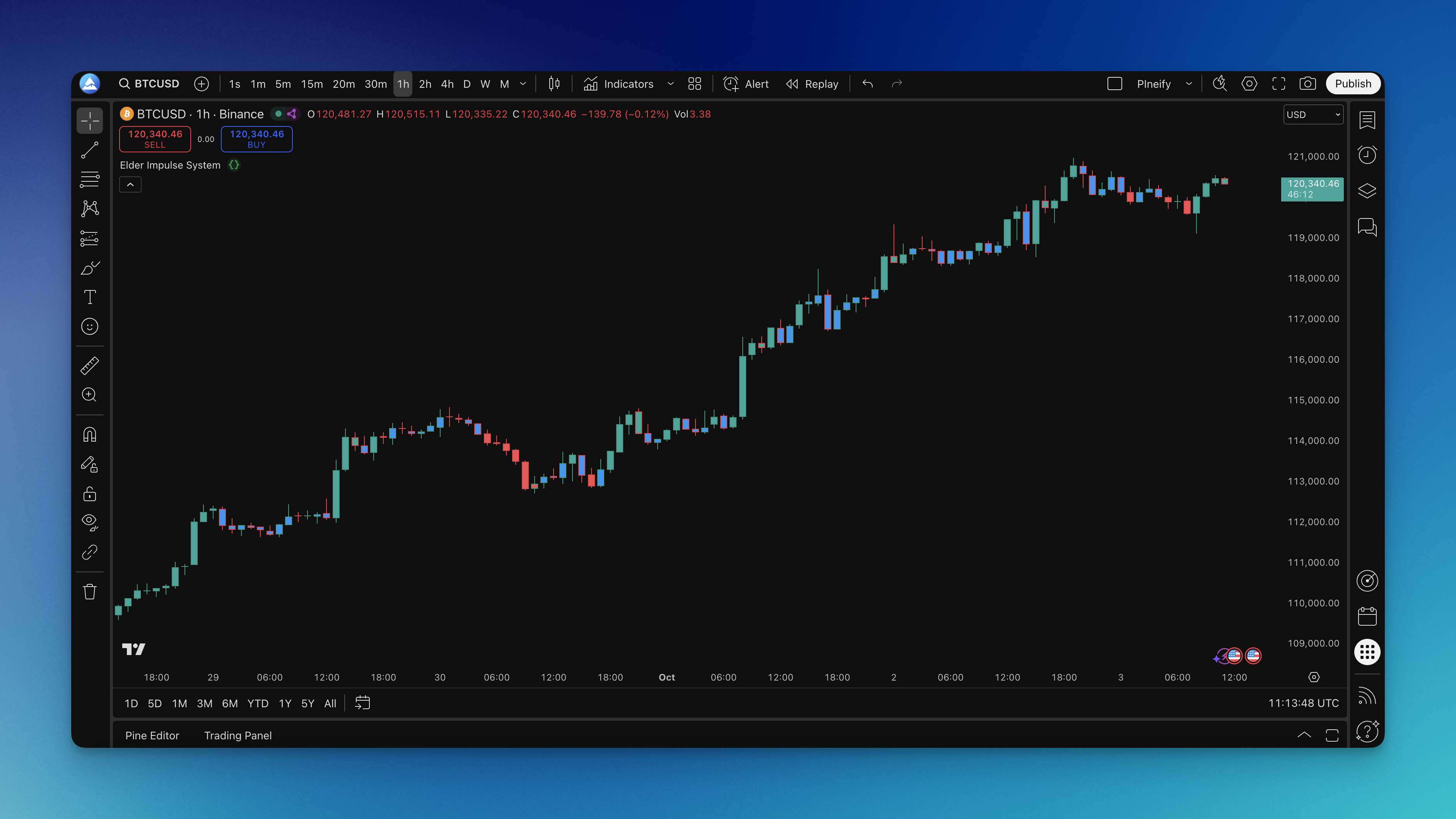
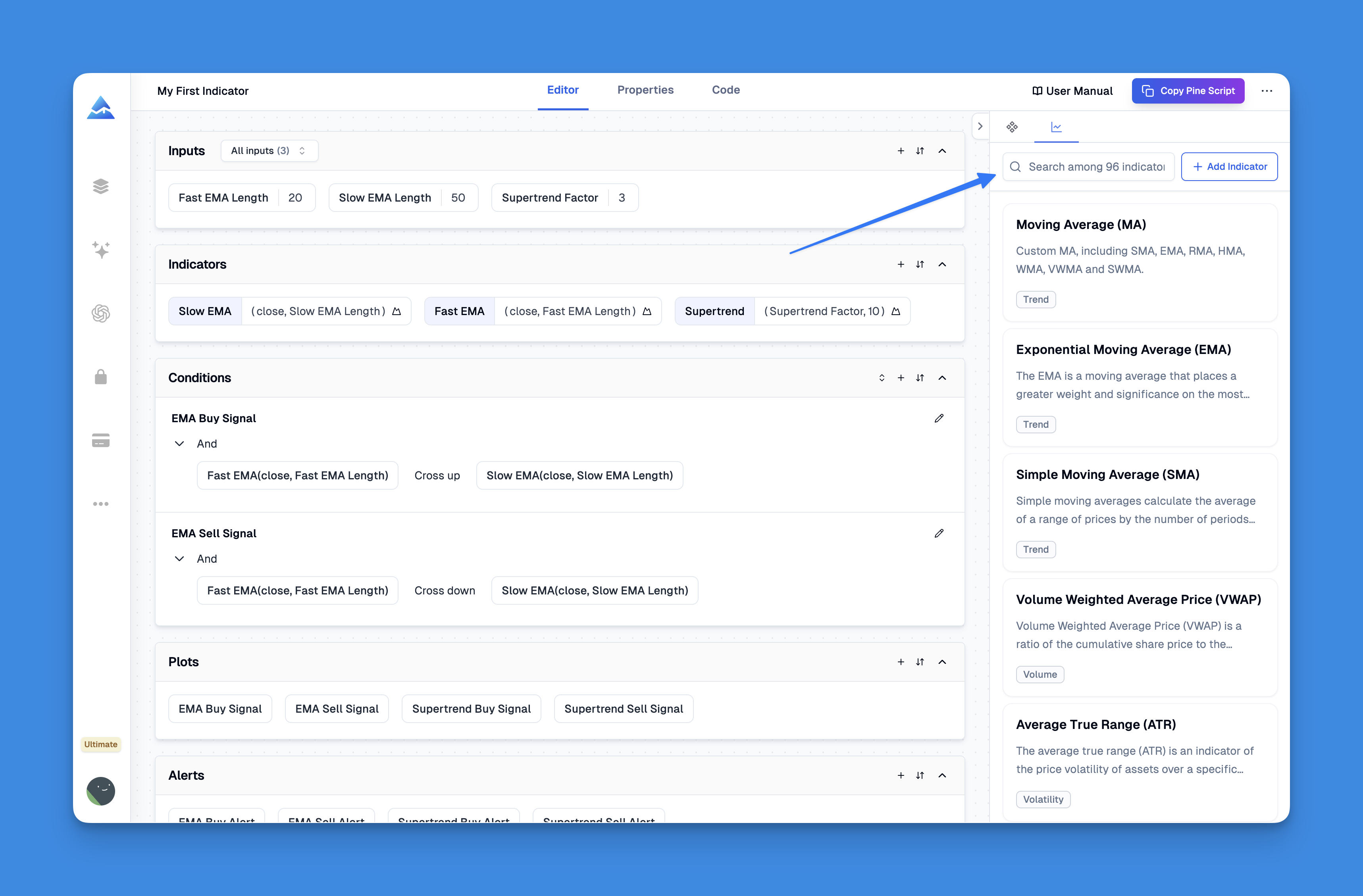
Calculate the two slopes
Pineify's Elder Impulse component uses closing prices, MACD lengths 12, 26 and 9, and a separate 13-period EMA by default. Its calculation is:
- MACD line = 12-period EMA of close minus 26-period EMA of close.
- Signal line = 9-period EMA of the MACD line.
- Histogram = MACD line minus signal line.
- Trend change = current 13-period EMA minus its previous value.
- Momentum change = current histogram minus its previous value.
| Trend change | Histogram change | Component output | Default color |
|---|---|---|---|
| Positive | Positive | +1 | Teal/green |
| Negative | Negative | -1 | Red |
| Any other combination, including equality | Any other combination | 0 | Blue |
This describes the current Pineify implementation. Check another author's script before assuming its defaults or comparisons match.
A histogram can rise while remaining negative. For example, moving from -0.8 to -0.5 is an increase of 0.3. If the EMA also rises, the impulse is bullish even though the MACD histogram is below zero. Conversely, a positive histogram that falls does not satisfy the bullish momentum condition. These are arithmetic examples, not market observations.
Treat colors as permissions, not complete entries
Elder's NinjaTrader software manual describes the impulse output in terms of allowed directions: long, both directions, or short. Blue therefore need not mean that every new position is prohibited. It means the two-direction restriction is absent under that framework; another setup still has to justify a trade.
A green bar does not guarantee continuation. A blue bar does not prove a sideways market, and the seventh green bar does not reveal that a move must be exhausted. Classifying the current calculation and predicting the next return are different tasks.
The original author's software catalog lists Impulse and Impulse Release as separate studies. Do not assume that a single-timeframe impulse color implements every rule of a multi-timeframe trading system.
Add the Pineify component and inspect it

- Open Pineify's visual editor and add the Elder Impulse System component if available under your current access.
- Record the MACD and EMA lengths before generating the script.
- Open TradingView's Pine Editor using the Pine icon on the right toolbar, paste the generated source, and resolve any compiler messages.
- Add it to a standard price chart and compare its colors against the component values.
TradingView's Pine Editor instructions describe the current editor location and chart action. The component is not a promise of free access to every Pineify feature; check the app's entitlement before relying on it.
For a calculation check, inspect two adjacent bars in an EMA and MACD display configured with the same source and lengths. Record whether each value rose, fell or stayed equal. Use that pair of signs to predict the color, then compare with the chart. A mismatch is a reason to inspect source selection, settings and the exact script version.
Developing bars can change color
The current close changes as realtime updates arrive, so the current EMA, MACD histogram and color can change before the bar closes. Waiting for a completed chart bar changes when a decision is made; it does not remove all issues in a script that also requests other timeframes.
TradingView explains realtime recalculation in its execution model and higher-timeframe confirmation in other timeframes and data. Check alert frequency and the underlying condition together. A screenshot of the final historical colors does not show every intrabar state a live observer might have seen.
Design a testable strategy separately
A proposed experiment could compare entering after a transition to green with entering after two consecutive green closes. Neither rule is established here as superior. Specify the exit and fill assumption before comparing them.
For each version, record symbol and feed, timeframe, session, date range, lengths, entry timing, quantity, exit rule, costs and order-processing settings. Keep the same data and assumptions across variants. Use TradingView's strategy documentation to understand simulated fills.
Inspect the trade list before interpreting win rate or drawdown. An indicator alone has no portfolio drawdown because it has not defined trades or position size. Average color-run length can describe the indicator, but it is not the average profitable holding period.
Changing EMA or MACD lengths changes responsiveness. It does not establish a universal scalping, swing or position-trading preset. Test a limited, recorded set of variants and retain an unused evaluation period. No SPY pullback-capture rate or personal two-year performance record is established for this page.

Frequently asked questions
Is a green bar the same as price being above EMA 13?
No. The impulse calculation compares the EMA with its previous value and also requires the MACD histogram to rise. Price's position relative to the average is a different condition.
Must the MACD histogram be above zero for a green bar?
No. The comparison is with the previous histogram value. A negative histogram can be rising.
Does blue mean exit immediately?
That is a separate strategy rule. Blue identifies a combination that is neither jointly rising nor jointly falling; the color alone does not define an exit or stop.
Which settings work best?
The 12/26/9 MACD and 13 EMA are the reviewed component defaults, not a verified optimum. Any alternative needs a specified test with costs and an unused evaluation period.