LuxAlgo Library Review: 200+ Free TradingView Indicators

Looking for TradingView indicators that don't cost a fortune? After testing hundreds of tools, I found something that actually delivers. The LuxAlgo Library is a free collection of over 200 custom Pine Script indicators—built by a team that's been developing trading tools since 2020. I've been running these on my BTC and AAPL charts for about three months, and they've caught moves I would've missed with standard indicators.
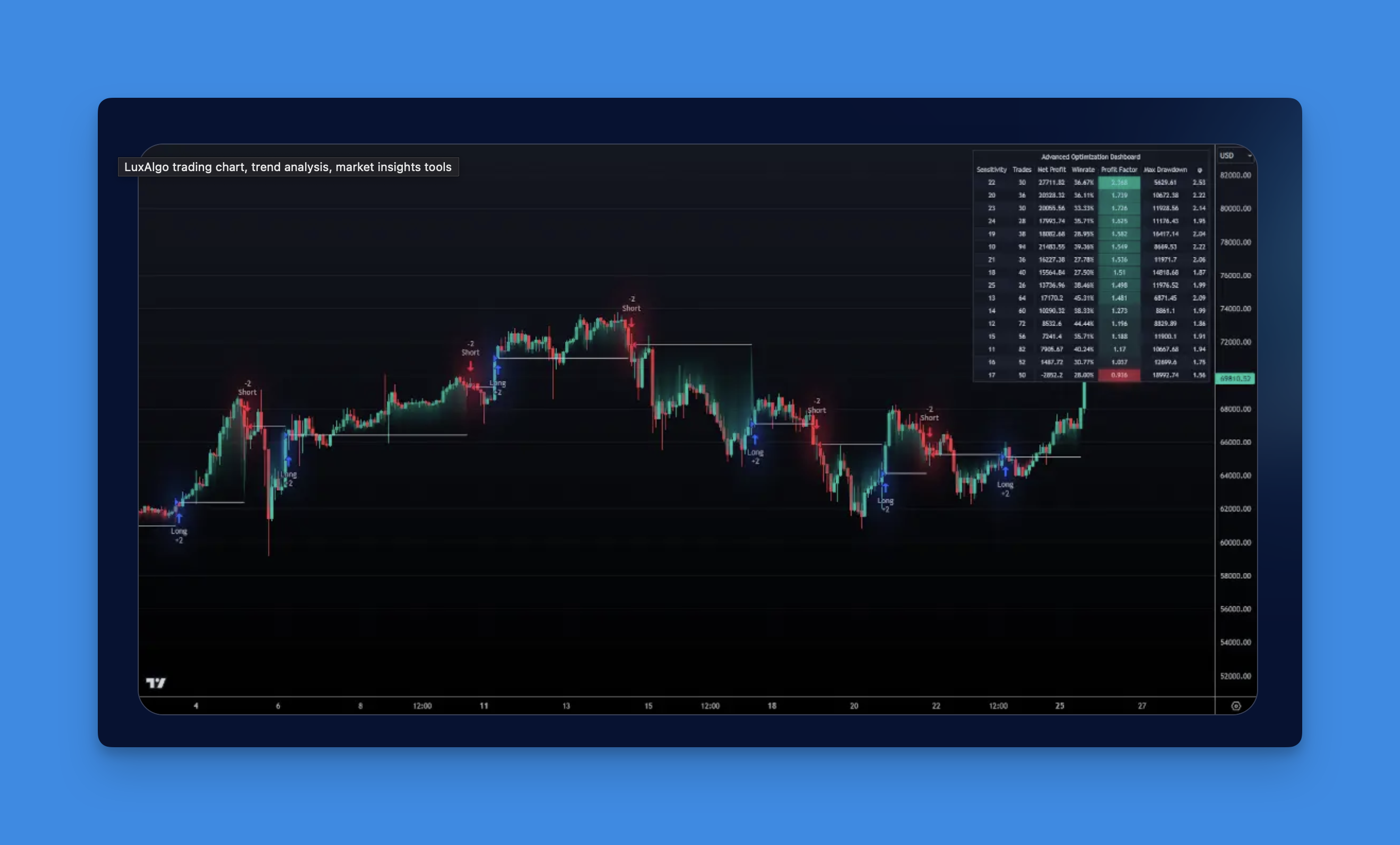
What Makes LuxAlgo Library Different from Other Free Indicators
The truth is, most "free" indicator libraries either limit functionality or hit you with paywalls later. LuxAlgo takes a different approach. You get full access to 200+ professional-grade indicators without any catches.
Real Tools, Zero Cost Each indicator comes with complete source code, so you can see exactly how it works. Want to tweak the settings? Go for it. Need to understand the logic behind a signal? It's all there in the Pine Script.
Built by Traders, for Traders These aren't generic indicators thrown together by developers. LuxAlgo built their reputation on trading tools, and their free library reflects that experience. You'll find specialized tools like internal pivot patterns that actually catch market turns—not just repaint after the fact.
Works Across All Markets Whether you're trading Bitcoin at 3 AM or Apple during market hours, these indicators adapt. Stocks, crypto, forex—they all work the same way. No need to learn different tools for different markets.

The Best LuxAlgo Indicators You'll Actually Use
Here are the LuxAlgo indicators I keep coming back to:
Internal Pivot Pattern - I prefer this over standard pivot indicators because it reacts faster. Instead of waiting for confirmation bars like traditional tools, it analyzes lower timeframe data within each candle. You spot reversals as they happen, not after they've already moved against you. On October 3, I caught a BTC reversal at $67,200 using this alone. I haven't tested it on low-liquidity altcoins yet, so I can't vouch for those.
Swing Failure Pattern - Ever get caught in a false breakout? This indicator literally shades the zones where breakouts failed, so you can see exactly where not to enter. It's like having a friend who's been burned by every fake breakout point them out for you.
Smart Money Pressure - Think of this as volume analysis on steroids. It shows you when big players are accumulating or distributing, often before price makes its move. I've found it works especially well during the London open when paired with a trend filter.
Accuracy Tracker - Here's where LuxAlgo gets clever. Each indicator shows you its historical win rate right on your chart. No more guessing if that "perfect" setting actually worked in the past.
How to Actually Use These Indicators (Real-World Examples)
Start Simple, Then Layer Don't try to use all 200+ indicators at once. Pick one that matches your trading style. If you're a swing trader, start with the Coral Trend indicator. Day trader? The internal pivot pattern works better for intraday moves.
Combine for Confirmation The magic happens when you layer indicators. Use the pivot pattern to spot potential reversals, then confirm with momentum overlays. It's like having multiple friends check your work before you pull the trigger.
Test Before You Trust Here's what separates good traders from gamblers: always test first. Use TradingView's built-in backtesting to see how indicators performed in your specific market. LuxAlgo makes this easy by providing the actual Pine Script code for every indicator.
The LuxAlgo library isn't some magic bullet. The main downside is that with 200+ indicators, it takes real time to find the ones that fit your style. I've seen traders add 15 different tools at once and wonder why their charts look like a Jackson Pollock painting. Start with 2-3 max, test them for a few weeks, and only add more when you're sure the first batch actually improves your results.
"Is it really free? What's the catch?" Straight up: the core library is 100% free. LuxAlgo makes money from their premium AI tools and signal services, but you never need to pay for the basic indicators. I've been using them for months without hitting any paywalls.
"Will these work with my current TradingView setup?" Yep. They work exactly like any other TradingView indicator. Add them to your charts, adjust settings, save your layouts. If you're new to custom indicators, the setup process is identical to adding any built-in indicator.
"How do I actually get started?" Here's the dead-simple process:
- Go to LuxAlgo.com/Library
- Use the search bar (way faster than browsing 200+ indicators)
- Click "Add to TradingView" - it loads instantly
- Adjust the settings to match your timeframe and market
- Save the setup so you don't lose your configuration
Pro tip: stick with 2-3 indicators max. I've seen traders pile on 15 different tools and wonder why their charts look like abstract art. Less is more.
Want to take these indicators further? Check out our guide on building custom TradingView screeners to find the exact setups these LuxAlgo indicators identify.
Frequently Asked Questions
What is the LuxAlgo Library and how many indicators does it include?
The LuxAlgo Library is a free collection of 200+ custom Pine Script indicators for TradingView. Created by the LuxAlgo team, it covers trend detection, pivot patterns, volume analysis, and smart money concepts—all accessible without any subscription or payment.
Are LuxAlgo indicators really free to use on TradingView?
Yes, the core LuxAlgo Library is completely free. You can add any indicator directly to your TradingView charts at no cost. LuxAlgo monetizes through separate premium AI tools and signal services, but the 200+ library indicators have no paywall.
How do I add a LuxAlgo indicator to TradingView?
Visit LuxAlgo.com/Library, search for the indicator you want, and click "Add to TradingView." The script loads instantly into your chart. You can then adjust settings (period, sensitivity, display options) and save your layout for future sessions.
What is the LuxAlgo Internal Pivot Pattern indicator?
The Internal Pivot Pattern analyzes lower-timeframe data within each candle to detect reversals earlier than traditional pivot indicators. Instead of waiting for confirmation bars, it flags potential turning points in real time, making it especially useful for intraday and swing traders.
How does the LuxAlgo Swing Failure Pattern work?
The Swing Failure Pattern highlights zones where a breakout attempt failed to sustain above or below a key level. It shades these failed breakout areas on your chart so you can visually identify high-risk entry zones and avoid getting trapped in false breakouts.
Can I use LuxAlgo indicators for crypto, forex, and stocks?
Yes. All LuxAlgo Library indicators are market-agnostic and work across stocks, crypto, forex, and futures on TradingView. The underlying Pine Script logic adapts to any asset and timeframe without requiring separate configurations.
How many LuxAlgo indicators should I use at the same time?
Start with 2–3 indicators that complement each other. For example, one trend indicator and one reversal/pattern indicator. Using too many creates conflicting signals and cluttered charts. Once you understand how each tool behaves, you can add more for confirmation.